
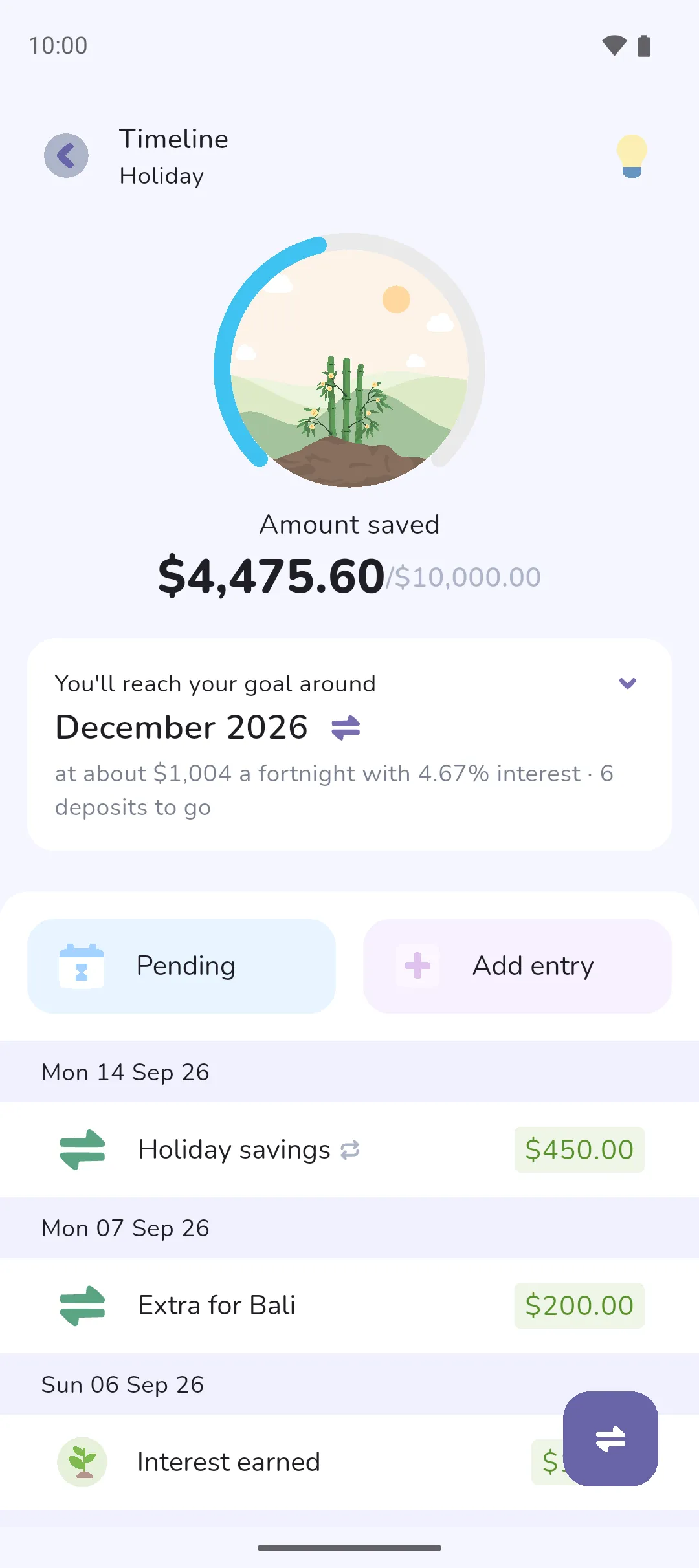
A savings or loan insight tells you when you'll reach your savings goal or be debt-free, worked out from your recent deposits or payments. Pick a date instead, and the insight shows how much to put in each period to get there.
Where to find it: the Trackers tab (Trackers tab icon, middle of the bottom bar) → tap the tracker. The insight is the card at the top. The Insight icon in the top bar turns the card on and off.
 Trackers tab icon, middle of the bottom bar) → tap the tracker. The insight is the card at the top. The
  Insight icon in the top bar turns the card on and off.
Read the card
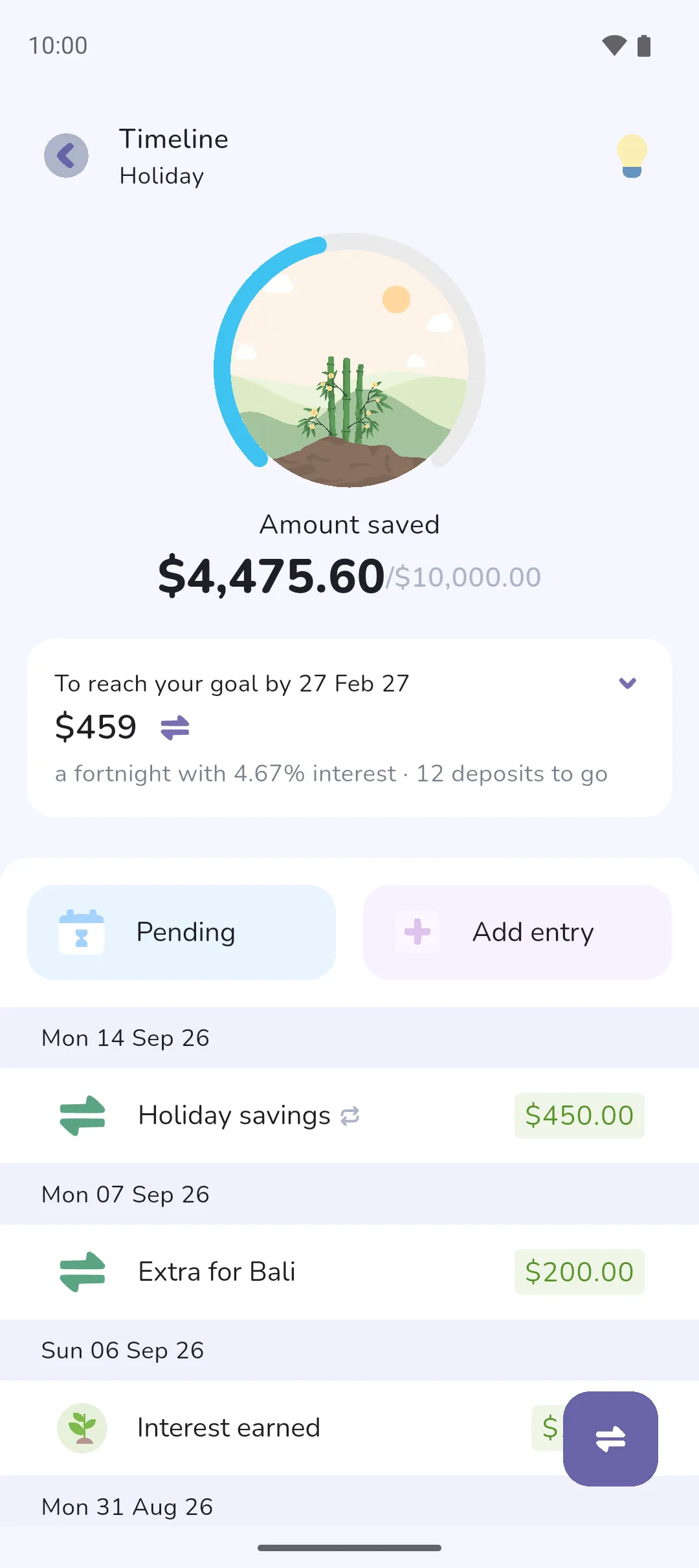
- The title says which question the card answers. You'll reach your goal around, or You'll be debt-free around for a loan, is followed by a month and year. With a date picked instead, the title names the date, and the card shows the amount to put in each period.
- The line beneath is what the answer rests on: the amount going in each period, the interest rate, and how many deposits or payments are left. The frequency is the book's schedule by default: weekly, fortnightly or monthly.
- Tap the Swap button beside the answer to switch questions.
 Swap button beside the answer to switch questions.
Change the numbers
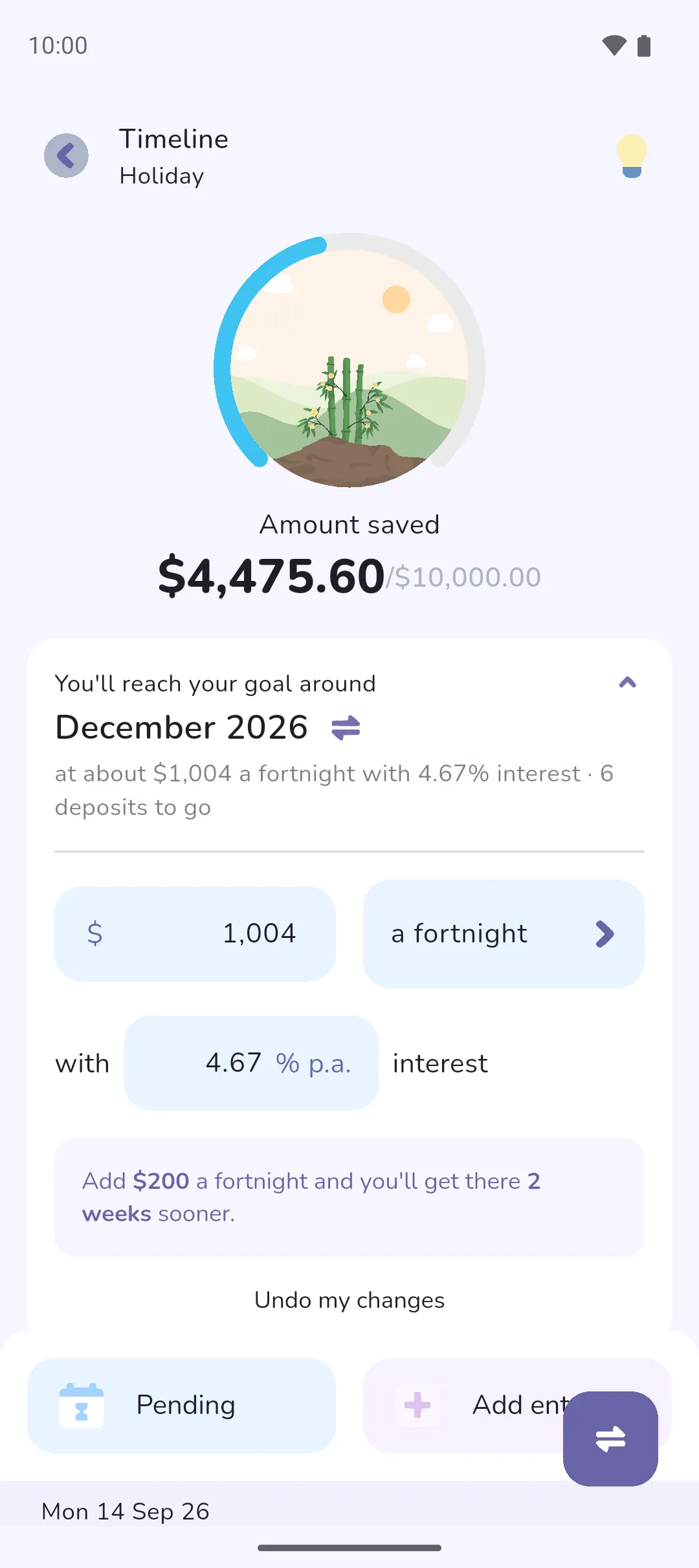
- Tap the card to expand it.
- Type a different amount, or tap the date to pick another. The date must be in the future.
- Tap the frequency to change it.
- Type the interest rate, as a yearly percentage.
The answer updates as you type. Where a little extra would get you there sooner, a tip beneath says how much sooner. Undo my changes puts every figure back to the measured one. Your changes are saved on your phone for that tracker, not with your login.
A card that reads Add an amount has too few deposits or payments to measure a rate from. It needs deposits or payments on at least three days in the six months either side of today. Tap it and type how much you put in.
When the goal is out of reach
The title reads At this rate you won't reach your goal, or At this rate you won't pay this off, with one of three reasons beneath:
- The balance is moving away from the goal: more out than in on savings, or more borrowed than repaid on a loan.
- Nothing is going in yet.
- On a loan, the payments aren't covering the interest.
Change the amount to see what brings the goal back in reach. Once the balance meets the goal, the card reads You've reached your goal or You're debt-free, and there's nothing left to change.
- Pro is required for the insights.
- The rate is measured from the tracker's own transactions over the six months either side of today: deposits, withdrawals and fees on a savings tracker, and repayments, money borrowed and fees on a loan. Pending transactions and ones in the future count, so a recurring transfer keeps the rate up as your plan. The amount you started the tracker with doesn't count.
- The interest rate is measured from the tracker's interest entries against its balance. It reads 0% until the tracker has two interest entries on different days. A loan projected at 0% pays off sooner than it will, so type the loan's rate.
- The Insight icon turns the card off on every tracker at once, not just the one you're on.
Say you've been putting $450 a fortnight into a savings tracker with a $10,000 goal. The card names the month you'll reach the goal and how many deposits are left. Tap the Swap button and pick a date a year away, and the card says how much a fortnight gets you there by then instead. Type $500 in place of $450, and the month moves closer.
See also: Trackers, Savings, Transfers, Calendar and timeline, Recurring transactions and transfers.