
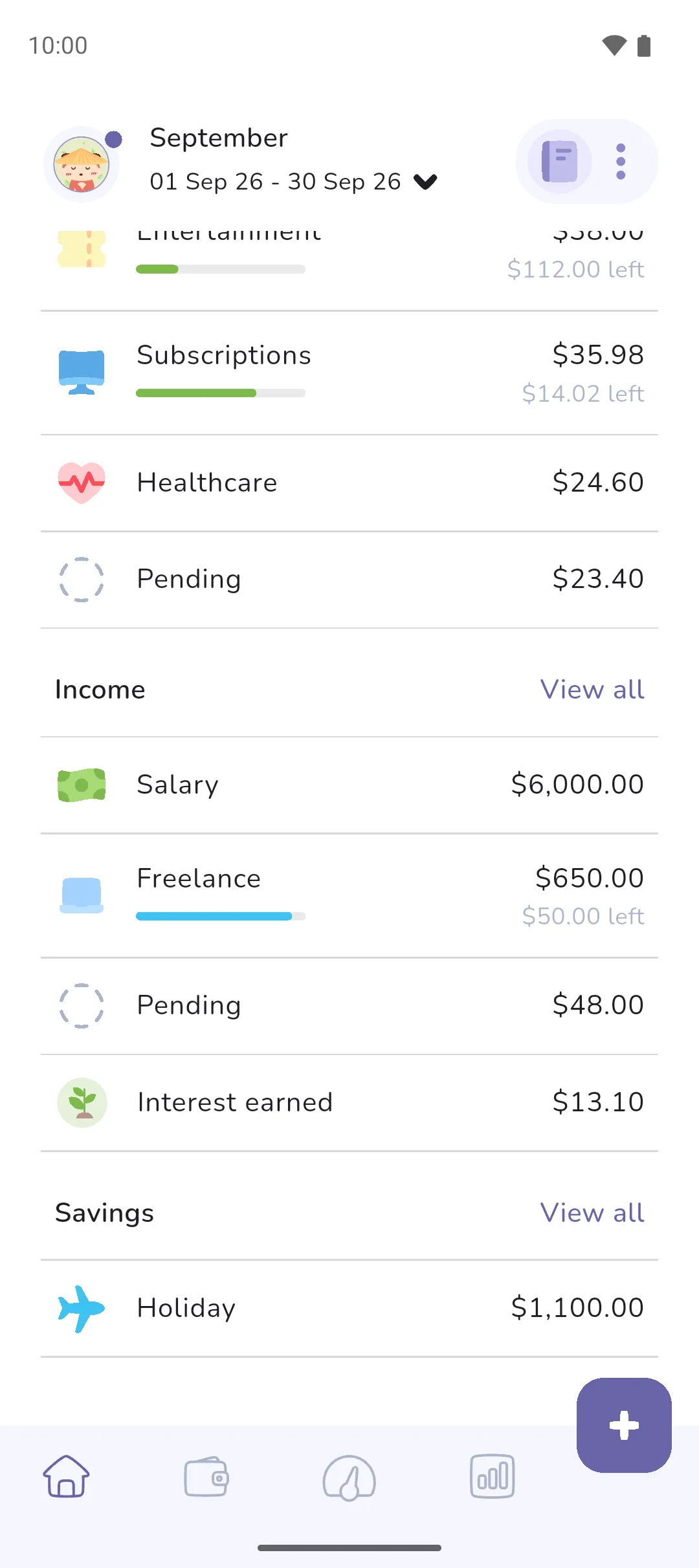
Savings is the money you move into your savings trackers, minus what you take out. The home screen shows your savings on a separate card and subtracts it from the period's total, because money you've set aside isn't there to spend.
Where to find it: in three places.
- The Home tab (Home tab icon, first in the bottom bar): the Savings card beneath the big purple total card, and the Savings list further down.
- The Analytics tab (Analytics tab icon, fourth in the bottom bar): Savings rate, and the savings on Year-to-date totals. Pro is required.
- Your profile picture (top left of the Home tab) → Profile → Settings icon → Settings → Customise home, under Savings.
 Home tab icon, first in the bottom bar): the Savings card beneath the big purple total card, and the Savings list further down.
 Analytics tab icon, fourth in the bottom bar): Savings rate, and the savings on Year-to-date totals.
  Settings icon → Settings → Customise home, under Savings.
The card, the list and the analytics show once the book has a savings tracker: see Trackers.
What counts
- A transfer into a savings tracker adds to your savings, and a transfer out of one subtracts. A transfer from a savings tracker into a loan tracker subtracts too, and also counts as an expense under Loans repaid.
- In an Expense Tracker book, a Deposit entry on a savings tracker adds, and a Withdrawal entry subtracts.
- A Received entry on a savings tracker adds, and a Sent entry subtracts.
- A transfer between two savings trackers leaves your savings where it was, because the money was already set aside. It moves from one tracker's figure to the other.
- Interest earned and Fees charged entries don't count. They're income and an expense.
On the home screen
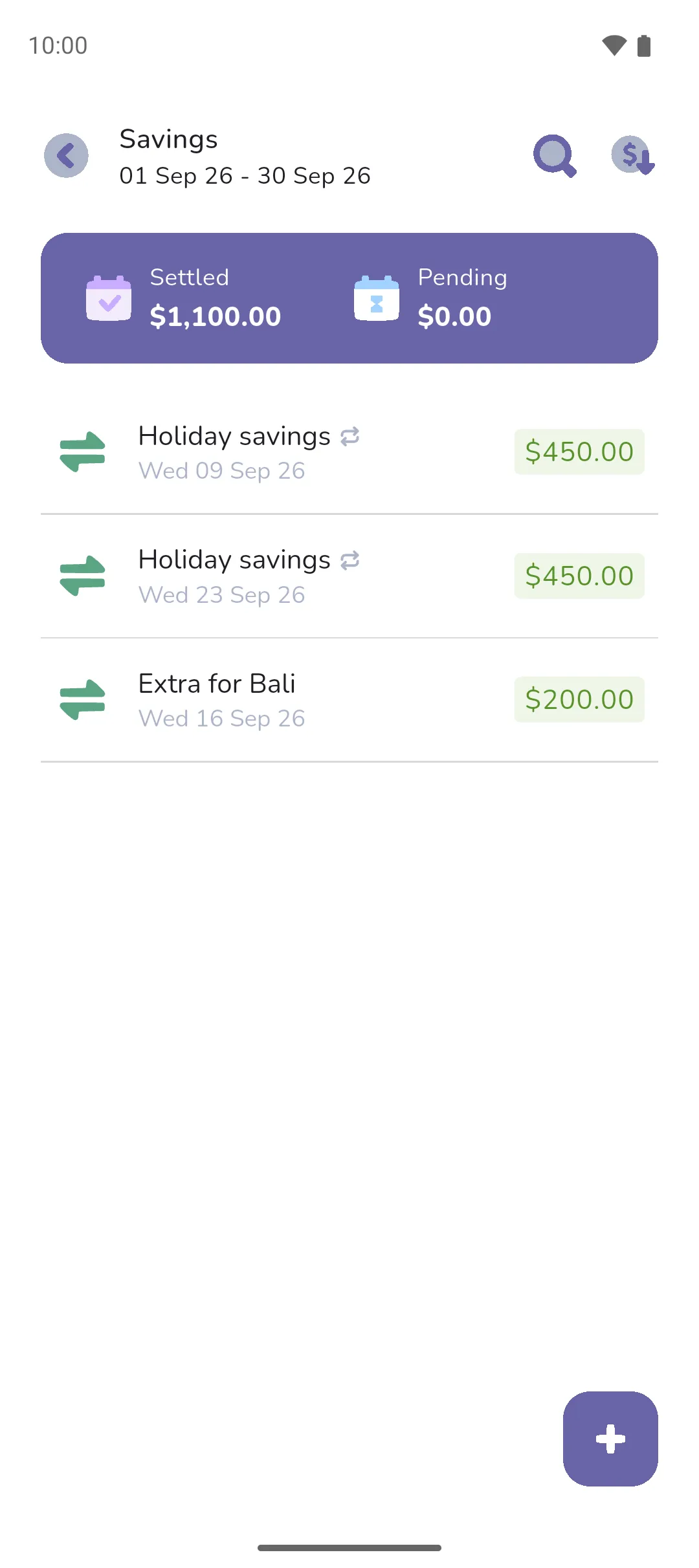
The big purple total card on the home screen is income minus expenses minus savings. The Savings card beneath it has your savings for the period. Tap it to open a screen titled Savings: every transfer into or out of a savings tracker in the period, and every Received and Sent entry, with your savings split into Settled and Pending at the top.
Further down the home screen, the Savings list has a row for each savings tracker, with what went into or came out of it in the period. Tap a tracker to see that tracker's transfers and entries. View all opens the same screen as the Savings card.
A figure is negative when more came out than went in.
Stop subtracting savings
Turn off Show savings, under Customise home, and the Savings card and list are hidden. The big purple total card is then income minus expenses.
While Show savings is on, two more settings show:
- Hide empty trackers, on by default, leaves out a tracker whose figure for the period is zero.
- Tracker order: Total amount, largest first; Transaction date, the tracker with the most recent deposit or withdrawal first; or Alphabetical.
In analytics
Savings rate shows your savings as a share of your income, for each of the last six periods. Year-to-date totals can subtract your savings from its total. Pro is required for both, and both count settled money only. See Analytics.
- Savings isn't an expense. A transfer into a savings tracker leaves your budget alone, so Left to spend doesn't change.
- A Received entry counts as income as well as savings, and a Sent entry counts as an expense as well as coming out of savings. So neither moves the big purple total card.
- Display mode, under Customise home, applies to savings too: Forecast counts pending transfers and entries, and Cash flow counts settled ones only.
- A savings tracker with Include in book's total balance unticked still counts in your savings.
Say this month you earn $4,800, your expenses come to $3,200, and you transfer $450 into Holiday. The Savings card reads $450, and the big purple total card $1,150: $4,800 minus $3,200 minus $450. Turn off Show savings, and the big purple total card reads $1,600.
See also: Trackers, Transfers, Home screen, Analytics, Savings and loan insights.