
Every transaction and transfer carries a status: settled, meaning the money has moved, or pending, meaning it hasn't yet. The status decides which of your numbers a transaction counts in.
Where to find it: in two places.
- The status: the Status icon, an hourglass, at the top of Add transaction, and the same icon on a transfer or a tracker entry.
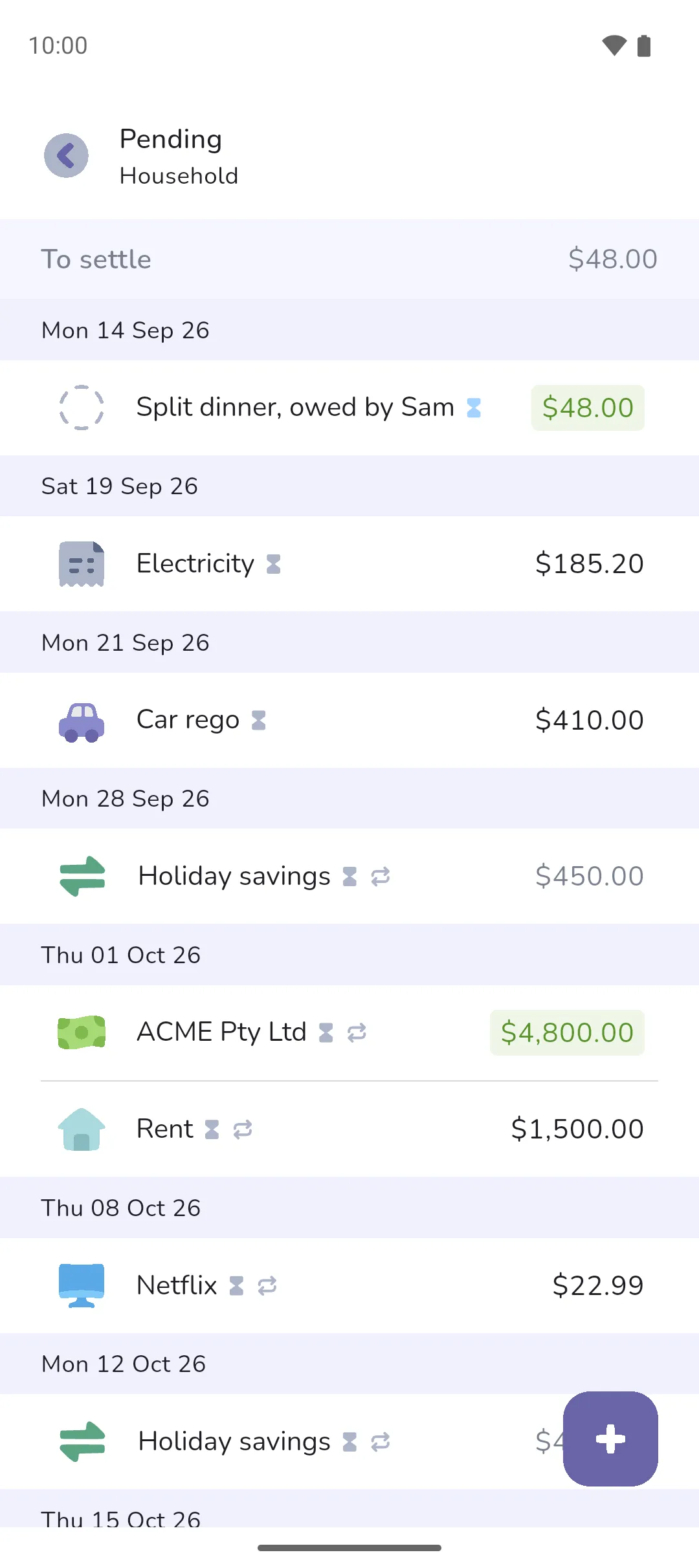
- The pending list: a screen titled Pending. Open it from the Pending button at the top of the Timeline tab, Book overview, and the account or tracker screens.
 Status icon, an hourglass, at the top of Add transaction, and the same icon on a transfer or a tracker entry.
The three statuses
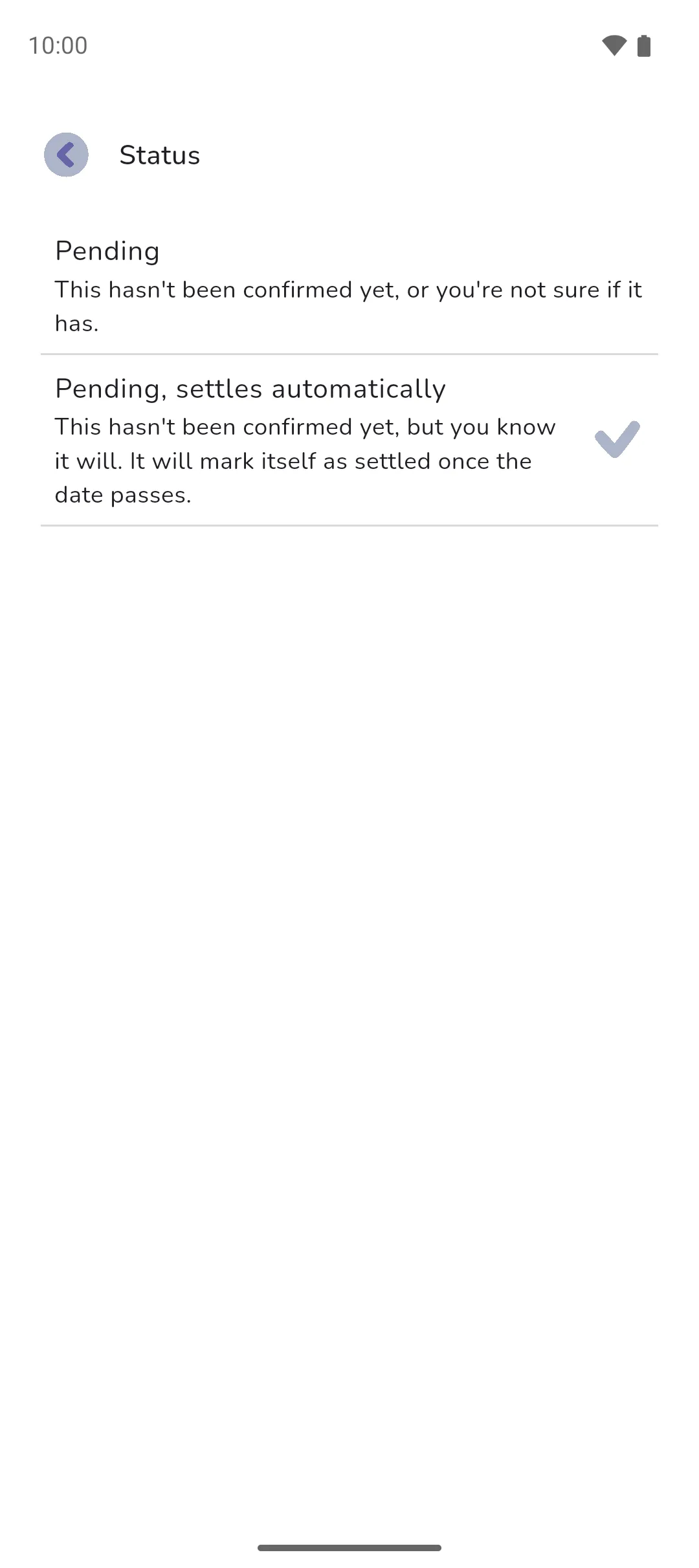
- Settled: the money has moved. Only settled money counts in a balance.
- Pending: the money hasn't moved, or you're not sure it has. This is the one status a transaction can hold without a category.
- Pending, settles automatically: the money hasn't moved, but you know it will. Once its date passes, the app marks it settled on its own. It needs a category, so it has somewhere to land when it settles.
A date of today or earlier offers Settled and Pending. A future date, or a repeating transaction, offers Pending and Pending, settles automatically, because the money can't have moved yet. The status is picked on the add transaction screen: see Adding a transaction.
Settle a pending transaction
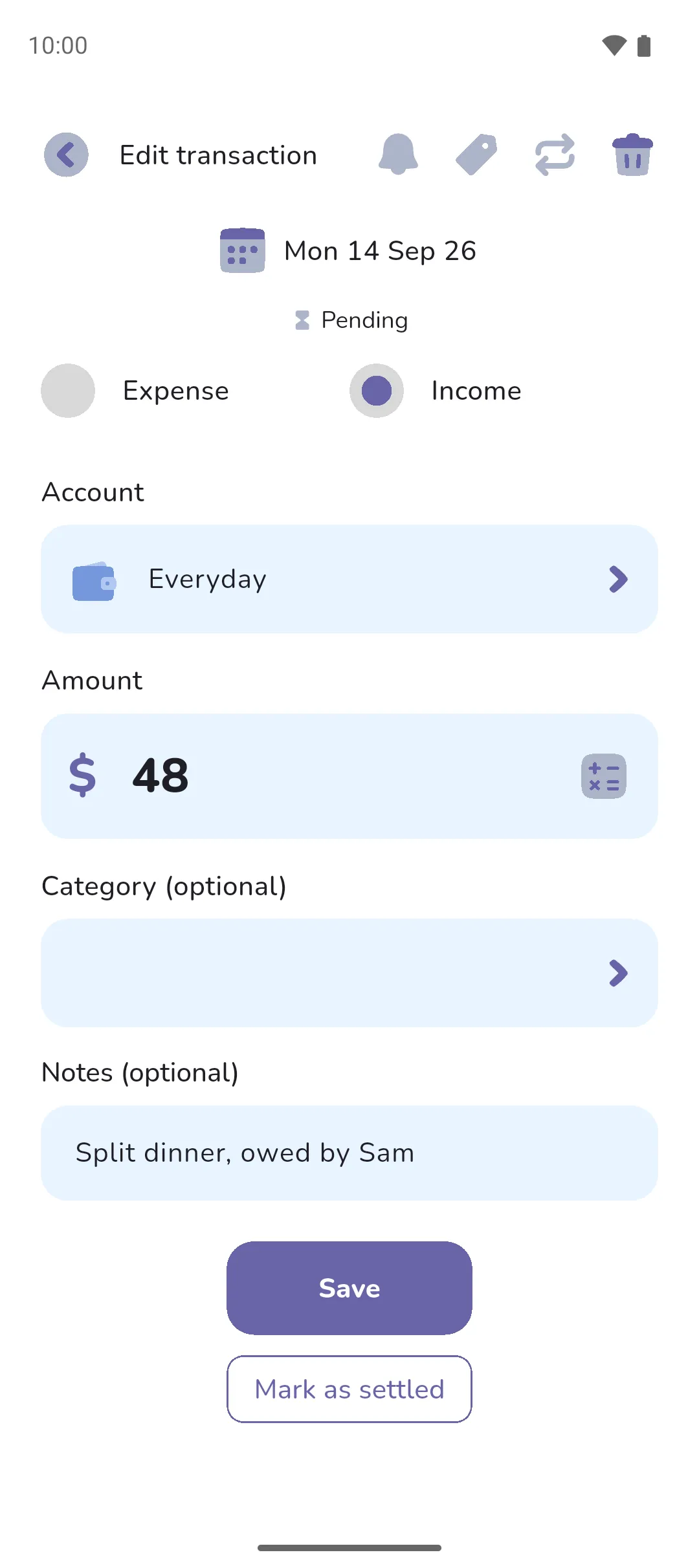
- Open it, from the pending list or anywhere else it shows.
- Tap Mark as settled under the save button. A transaction with no category asks for one first.
A transaction in the future can't be settled until its date arrives.
What counts where
- A balance counts settled money only. Pending money dated today or earlier shows underneath as an amount to settle: on the Accounts tab, and at the top of the Timeline tab and the account or tracker screens.
- Your budget counts pending expenses as well as settled, so a bill you've entered for a date in the future is already spoken for, as long as it falls in the period.
- The home screen follows Display mode, under Settings → Customise home. Forecast, the default, includes pending money. Cash flow counts settled money only. In Forecast, pending transactions with no category add up under a special Pending category, and tapping it lists them as Pending expenses or Pending income.
- The calendar includes pending money in each day's in, out and total.
- Analytics counts settled money only.
- In every list, a pending transaction shows the Status icon beside its name, and the icon turns blue once its date is today or earlier.
The pending list
The Pending screen lists every pending transaction and transfer, oldest first, with a To settle total at the top for the ones dated today or earlier. The Pending transactions card and the Pending button show a blue dot when there are pending transactions to settle.
- Moving a settled transaction's date into the future makes it pending. Moving a Pending, settles automatically transaction back to today or earlier makes it settled.
- A future occurrence of a repeating transaction is created pending, with the status you chose for the series.
- With Pro Sync: a pending transaction from the bank settles when the bank confirms it, and the app brings in the final version for you to review. You can't mark it settled yourself. See Linked accounts.
See also: Adding a transaction, Transfers, Recurring transactions and transfers, Budgets and goals, Home screen, and the pending transactions post.