
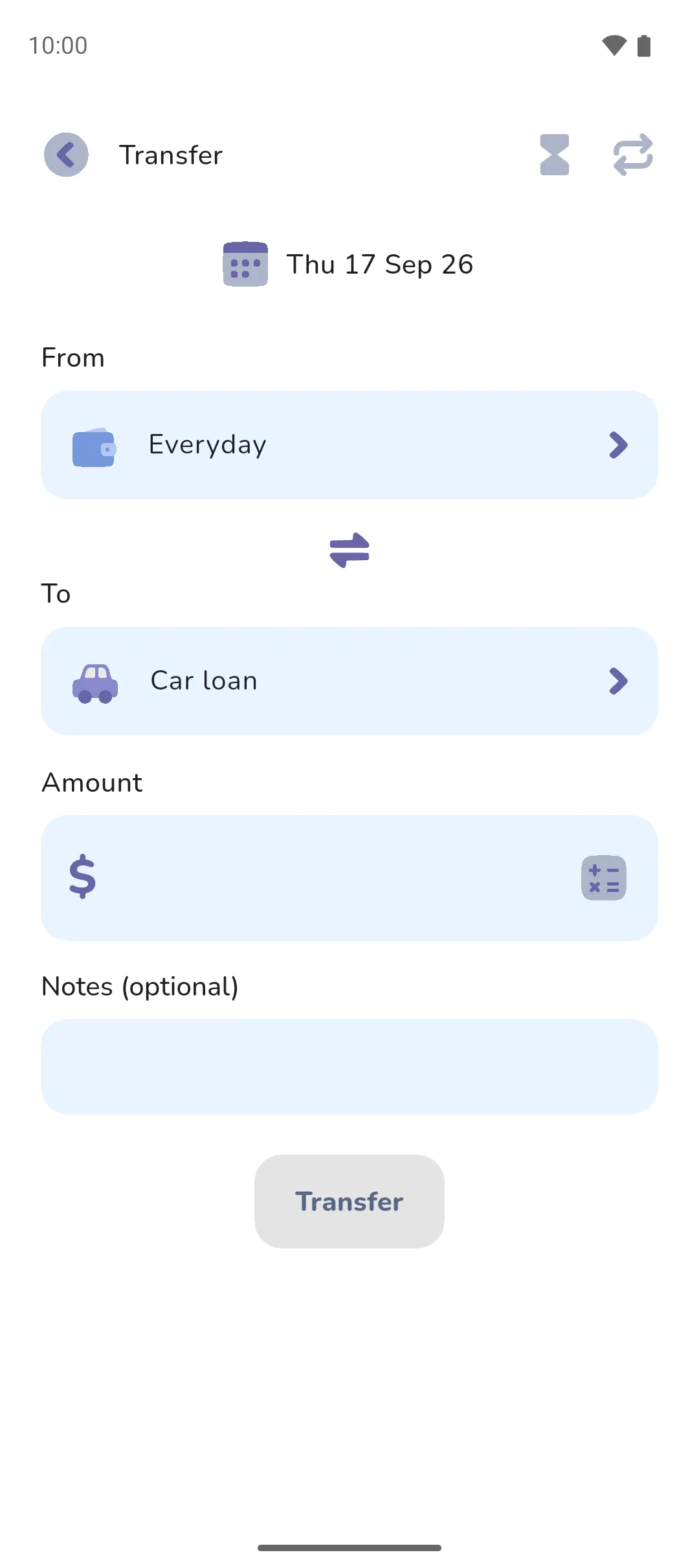
A transfer is money moved between two of your own accounts or trackers: cash to your card, a deposit into your holiday savings. In most cases a transfer isn't income or an expense, because the money never leaves your finances, so it stays out of your budget.
Where to find it: in a Money Manager book, in three places.
- The Transfer button in the bottom right of the Accounts tab and the Trackers tab.
- The list you open by tapping an account, or Book overview, on the Accounts tab. A Transfer button is found at the top.
- Your phone's home screen, as the Transfer widget.
 Transfer button in the bottom right of the Accounts tab and the Trackers tab.
The screen is titled Transfer.
Move money
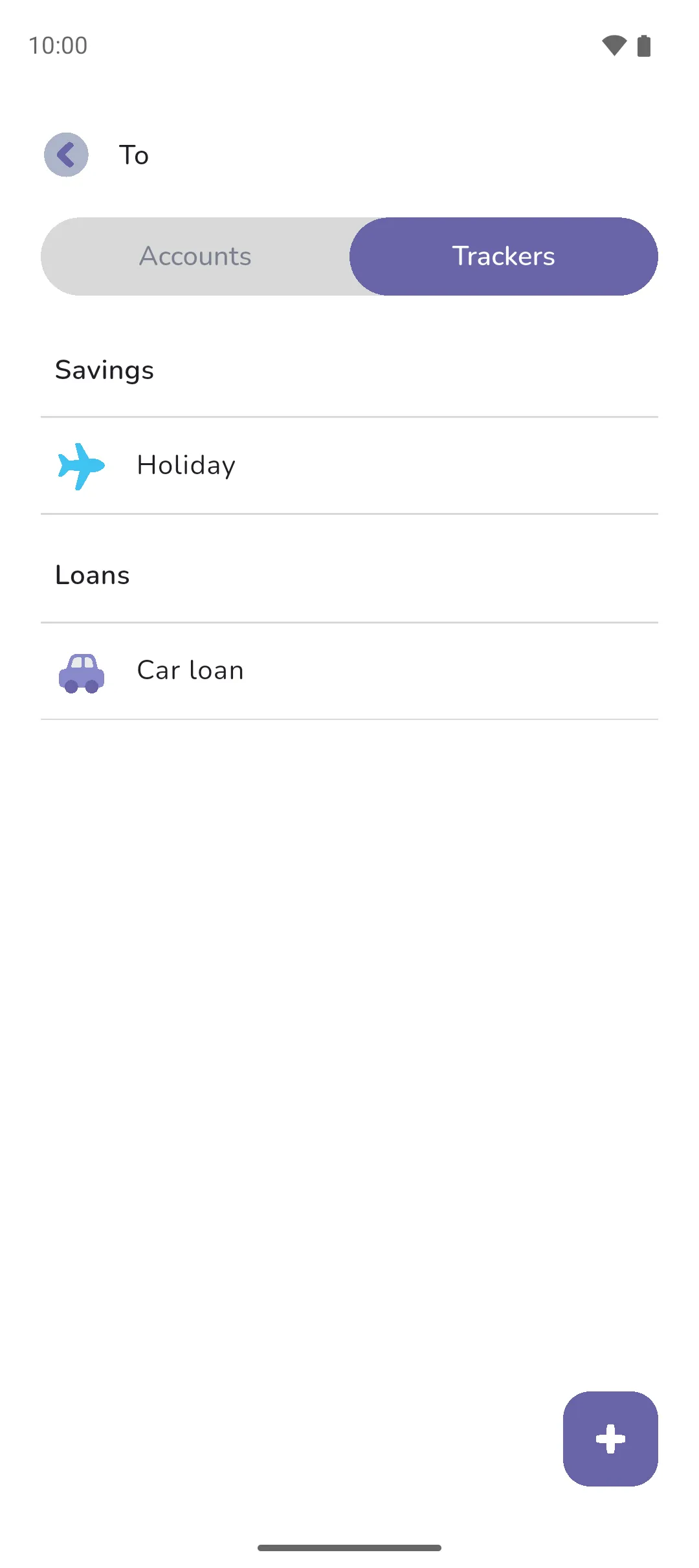
- Tap From and choose the account the money leaves. The picker has an Accounts tab and a Trackers tab, with trackers split into Savings and Loans.
- Tap To and choose where the money lands. The Swap button changes the direction of the transfer.
- Enter the Amount. The Calculator icon opens a keypad for a quick sum.
- Add a note under Notes (optional).
- Tap Transfer.
 Swap button changes the direction of the transfer.
 Calculator icon opens a keypad for a quick sum.
The date is today. Tap it to change it. Times stay hidden unless Show transaction time is on under Settings → Date and time. The Transfer button stays greyed out until there's an amount and From or To is filled in. From and To can't be the same account, since money can't move from an account to itself.
Log a one-sided transfer
A one-sided transfer has only From or To. Tap Clear beside the other to leave it blank. The blank side stands for an account that isn't a manual account in this book: an account in another book, an account you don't track in the app, or a linked account, whose side syncs from the bank. Only the account you picked changes. The transfer isn't income or an expense, except on a loan tracker. For a transfer from a linked account, see Linked accounts.
The icons along the top
- The Status icon, an hourglass, opens Status. A transfer dated today or earlier is Settled, meaning the money has moved, or Pending if it hasn't yet. A future date offers Pending or Pending, settles automatically, and the app remembers whichever you last chose for future ones. A pending transfer doesn't move the money until it settles: see Pending and settled.
- The Recurrence icon opens Recurrence, for a monthly savings deposit or a regular loan repayment. See Recurring transactions and transfers.
 Status icon, an hourglass, opens Status. A transfer dated today or earlier is Settled, meaning the money has moved, or Pending if it hasn't yet. A future date offers Pending or Pending, settles automatically, and the app remembers whichever you last chose for future ones. A pending transfer doesn't move the money until it settles: see
  Recurrence icon opens Recurrence, for a monthly savings deposit or a regular loan repayment. See
 A transfer has no category, and no tags or reminder.
Edit or delete one
Tap the transfer wherever you see it: an account's transactions, the calendar or the pending list. The screen is titled Edit transfer. Change what you need and tap Save, or tap the Delete icon to delete it. A pending transfer dated today or earlier shows Mark as settled under the save button.
 Delete icon to delete it. A pending transfer dated today or earlier shows Mark as settled under the save button.
For a transfer that belongs to a recurring series, the app asks how far the change reaches: This only, This and following, All, Pending transactions or Settled transactions. Changing the date applies to this one only. Deleting offers the same choices without the settled option. The series itself is edited from the Book icon → Transactions → Recurring transfers.
 Book icon → Transactions → Recurring transfers.
- A transfer isn't income or an expense, so it leaves your budget alone. Loans are the exception: a transfer into a loan tracker counts as an expense under Loans repaid, and a transfer out of one counts as income under Borrowed funds. Untick Include in overall budget on Loans repaid to keep repayments out: see Categories.
- A transfer into a savings tracker adds to savings, and a transfer out of one subtracts. The home screen shows your savings on a card of its own: see Savings.
- A transfer between two accounts that both count in the book's total leaves the total where it was. A transfer into a tracker you've left out of the total lowers the total, and one out of it raises the total.
- An Expense Tracker book has no transfers. Money in and out of a tracker is a tracker entry instead: see Trackers. The Transfer widget opens on your active book, so it asks you to switch when that book is an Expense Tracker.
- With Pro Sync: a linked account can't be picked as From or To. A transfer the bank reports arrives on the linked account by itself, as Incoming or Outgoing, and the Info icon opens Bank transfer details. See Reviewing transactions.
 Info icon opens Bank transfer details. See
 Say you transfer $300 from Everyday to a loan tracker called Car loan. Everyday drops by $300. Car loan's Amount owing drops by $300. Your expenses for the period rise by $300 under Loans repaid, unless you've unticked Include in overall budget on that category. Move the same $300 into a savings tracker instead and your expenses don't change.
See also: Accounts, Trackers, Savings, Recurring transactions and transfers, Pending and settled, Budgets and goals.